An SQL editor that knows Fusion
Syntax highlighting, autocomplete for keywords, table names and columns after "alias.", bind variables, formatting and multiple tabs.
A closer look at what Fusion SQL can do for your daily work with Oracle Fusion data.
The object browser on the left, a multi-tab SQL editor at the top and a fast result grid below. Select part of the SQL to run only that part.
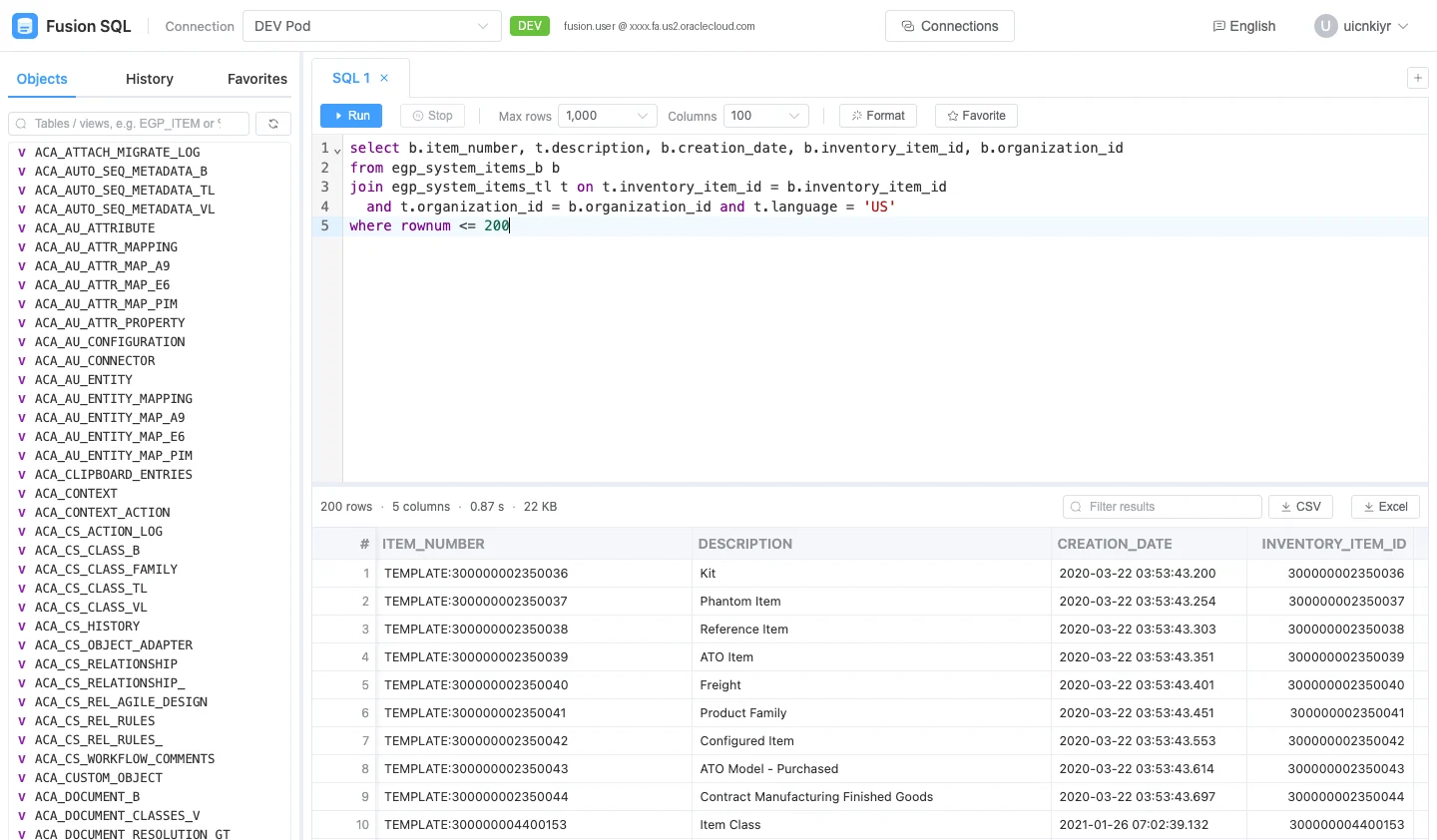
Sort and filter tens of thousands of rows in the browser, then export exactly what you see.
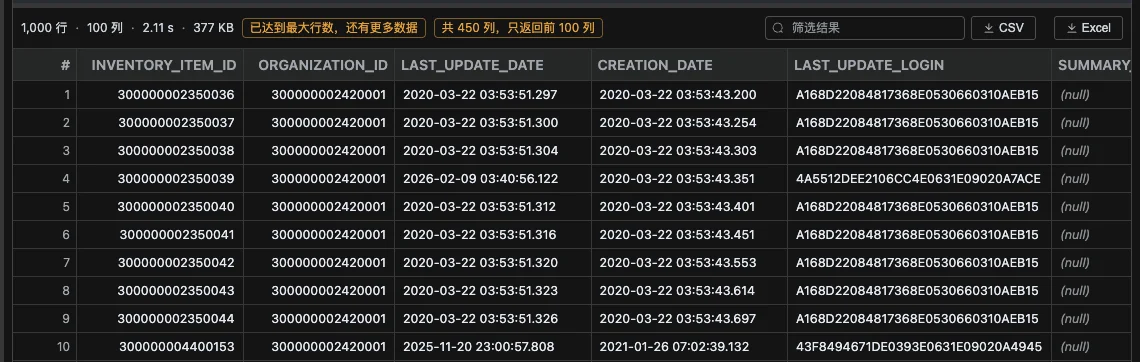
Features
Built by a Fusion PLM engineer for consultants, developers and support teams who live in Fusion data every day.
Syntax highlighting, autocomplete for keywords, table names and columns after "alias.", bind variables, formatting and multiple tabs.
A virtual-scrolling grid handles tens of thousands of rows. Sort, filter, and copy a column as an IN list.
Up to 1,000,000 cells per query. Long Fusion IDs stay exact instead of turning into scientific notation.
Search Fusion tables and views such as EGP_SYSTEM_ITEMS_B, then browse their columns without leaving the editor.
Every execution is saved on the server. Re-run past queries and keep your best SQL as favorites.
Manage DEV, TEST and PROD connections side by side, with color tags so you always know where you are.
| Max rows per query | 50,000 |
|---|---|
| Max columns per query | 1,000 |
| Rows × columns | 1,000,000 cells |
| SQL length | 32 KB |
| Concurrent queries per user | 3 |
| Query timeout | 300 seconds |
| Export availability | 15 minutes after the query finishes |
Free to start. No installation. No BI Publisher report to build.